

Documentation Index
Fetch the complete documentation index at: https://docs.pincites.com/llms.txt
Use this file to discover all available pages before exploring further.
Overview
Fallbacks let you define alternative positions for each rule in your playbook — so the AI knows what to do when your preferred language isn’t accepted.You can create multiple fallback options, each with its own trigger conditions, like deal size or review round.
Why use fallbacks
- Handle different negotiation scenarios (e.g., small vs. large contracts)
- Simplify later passes in review (2nd, 3rd round edits)
- Ensure consistent fallback logic across your team
- Give AI the context to suggest the right position automatically
Adding a fallback
Add a fallback position
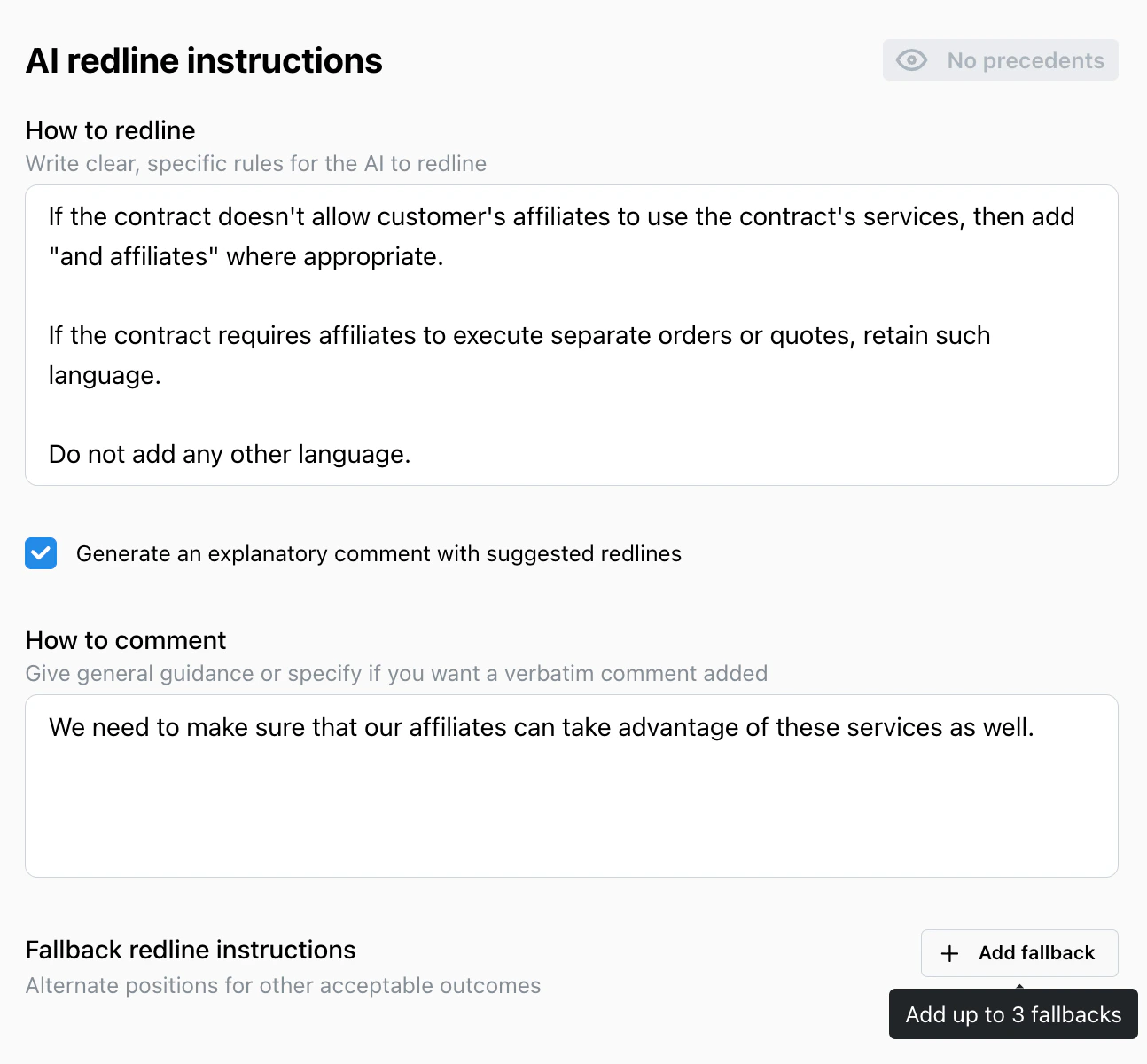
Click Add Fallback at the bottom of the rule.
Enter your alternative clause language.
Enter your alternative clause language.
Define trigger conditions
Specify when this fallback should apply, such as:
- Deal value < $50k
- Second pass review
- Counterparty refused preferred term
Example
Preferred position:Payment due within 45 days of invoice date.Fallback 1:
Payment due within 60 days for deals under $50,000.Fallback 2:
Payment due within 75 days on second-pass negotiations.
Testing your fallbacks
- When running a playbook, Pincites asks for context (“Second pass,” “Deal under $50k,” etc.).
- The AI then selects the right fallback automatically based on those triggers.
- You can preview which fallback applied in the review drawer before accepting edits.
Best practices
-
Keep fallback logic simple
Use short, clear trigger conditions (avoid stacking too many in one rule). -
Label your fallbacks clearly
Example: “Small deals – relaxed payment terms.” -
Review analytics
Check how often each fallback is used to identify standard positions.