

Knowing how a rule has been used before helps your team apply it more consistently—and builds confidence that your playbook reflects real negotiation behavior. Pincites makes it easy to view precedent redlines tied to each rule, both in Word and in the web app.Documentation Index
Fetch the complete documentation index at: https://docs.pincites.com/llms.txt
Use this file to discover all available pages before exploring further.
In Microsoft Word
If you’re reviewing a contract and want to understand why a rule is triggering:- Navigate to the relevant failing issue in your playbook
- Click the Precedents circle icon below the suggested redline
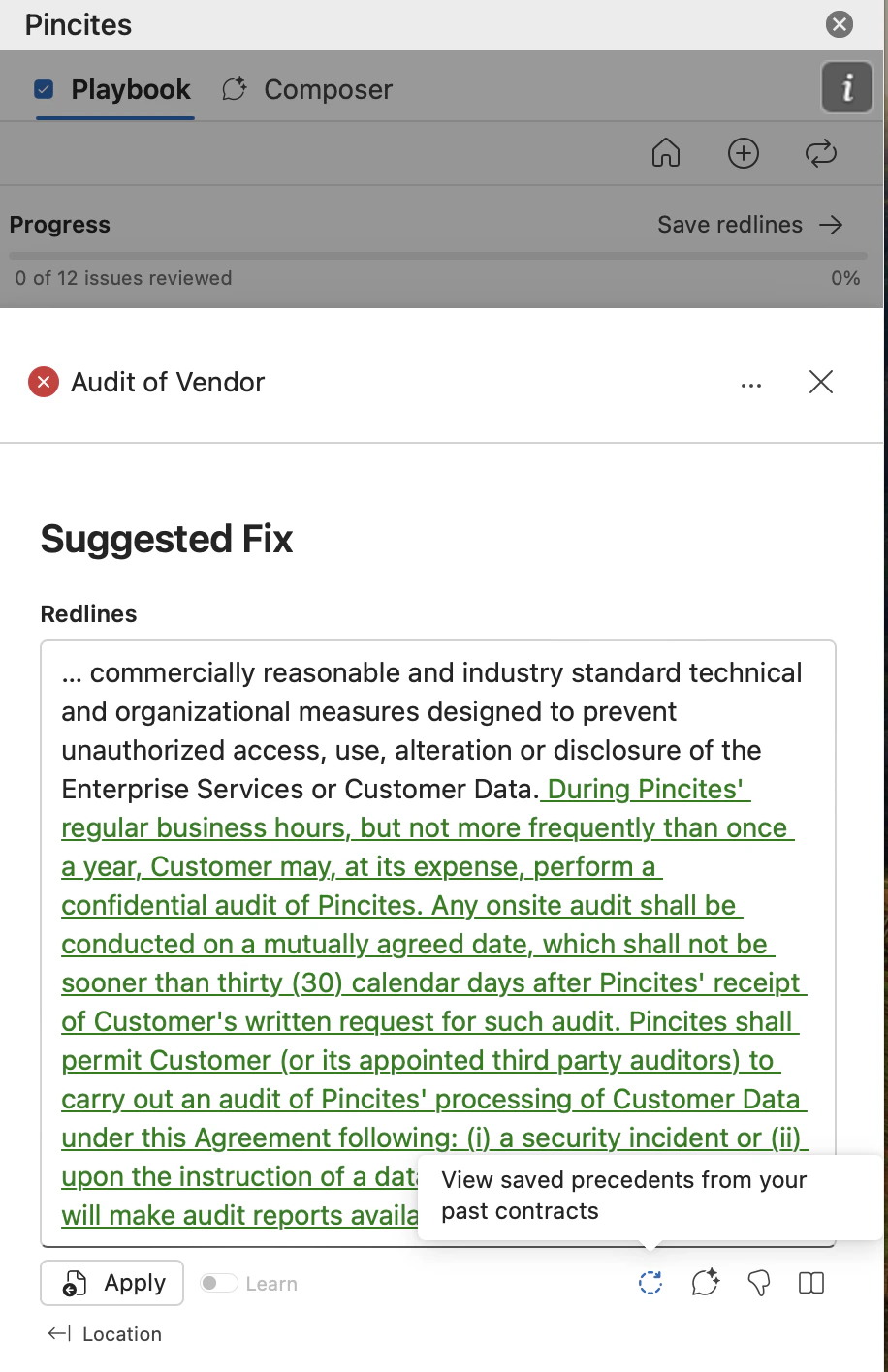
- A panel will open showing real examples of redlines that match this rule
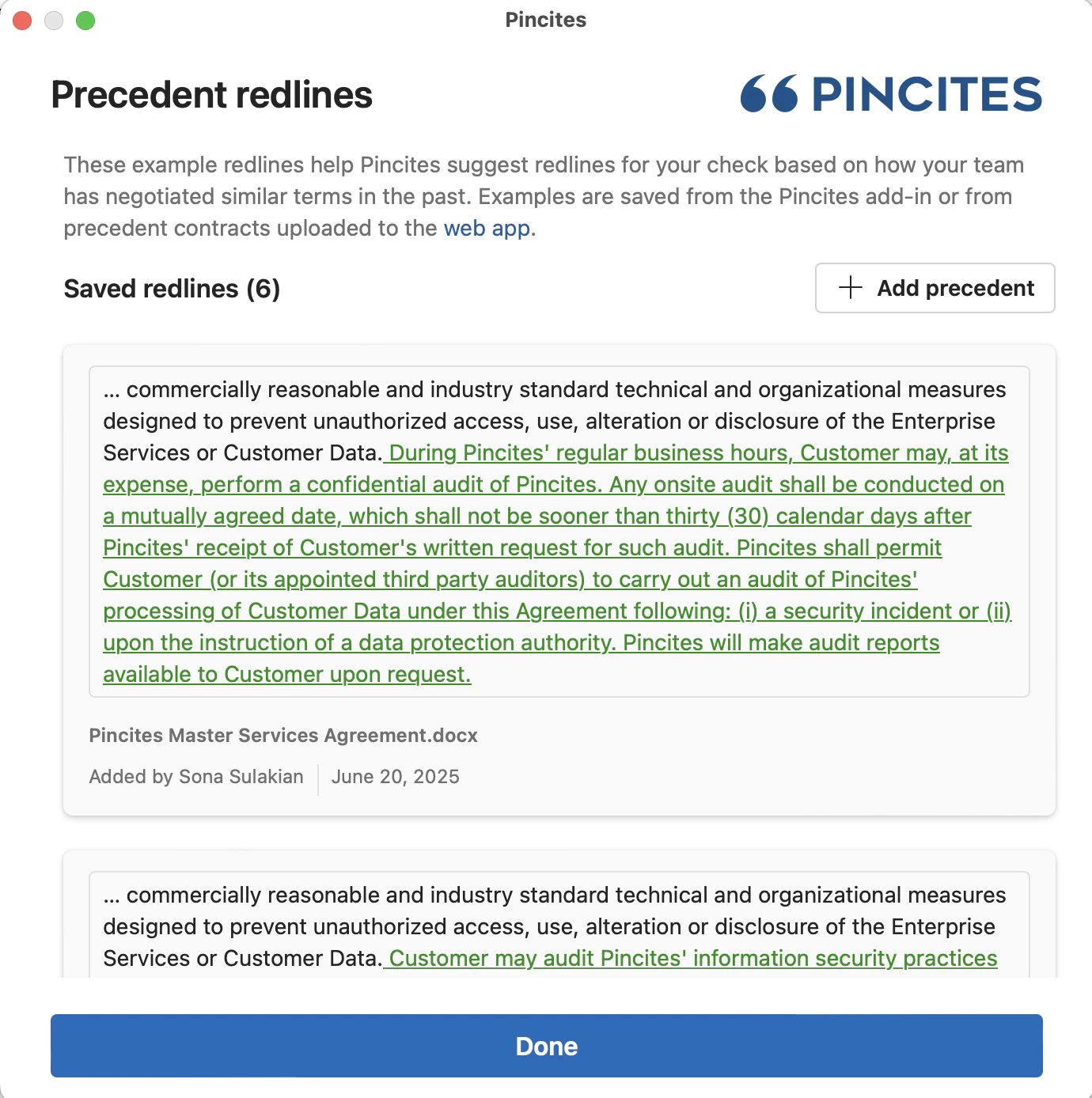
- The name of the source document
- Who saved the redline
- The date it was saved
- The exact redline that was added
In the Web App
To explore precedents from the playbook editor:- Go to your Rule in your playbook
- Click View Precedent Redlines
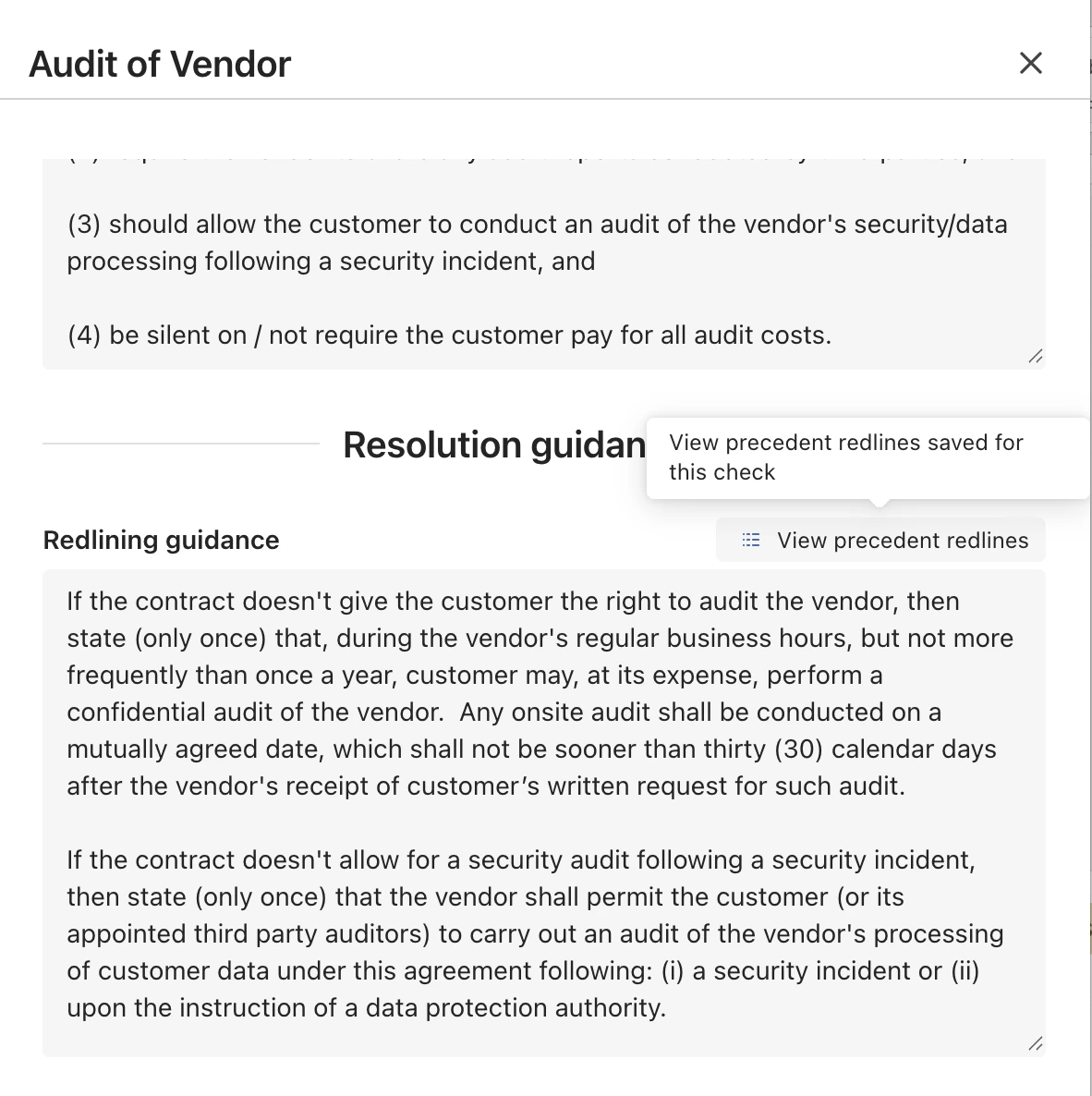
- View the precedent examples
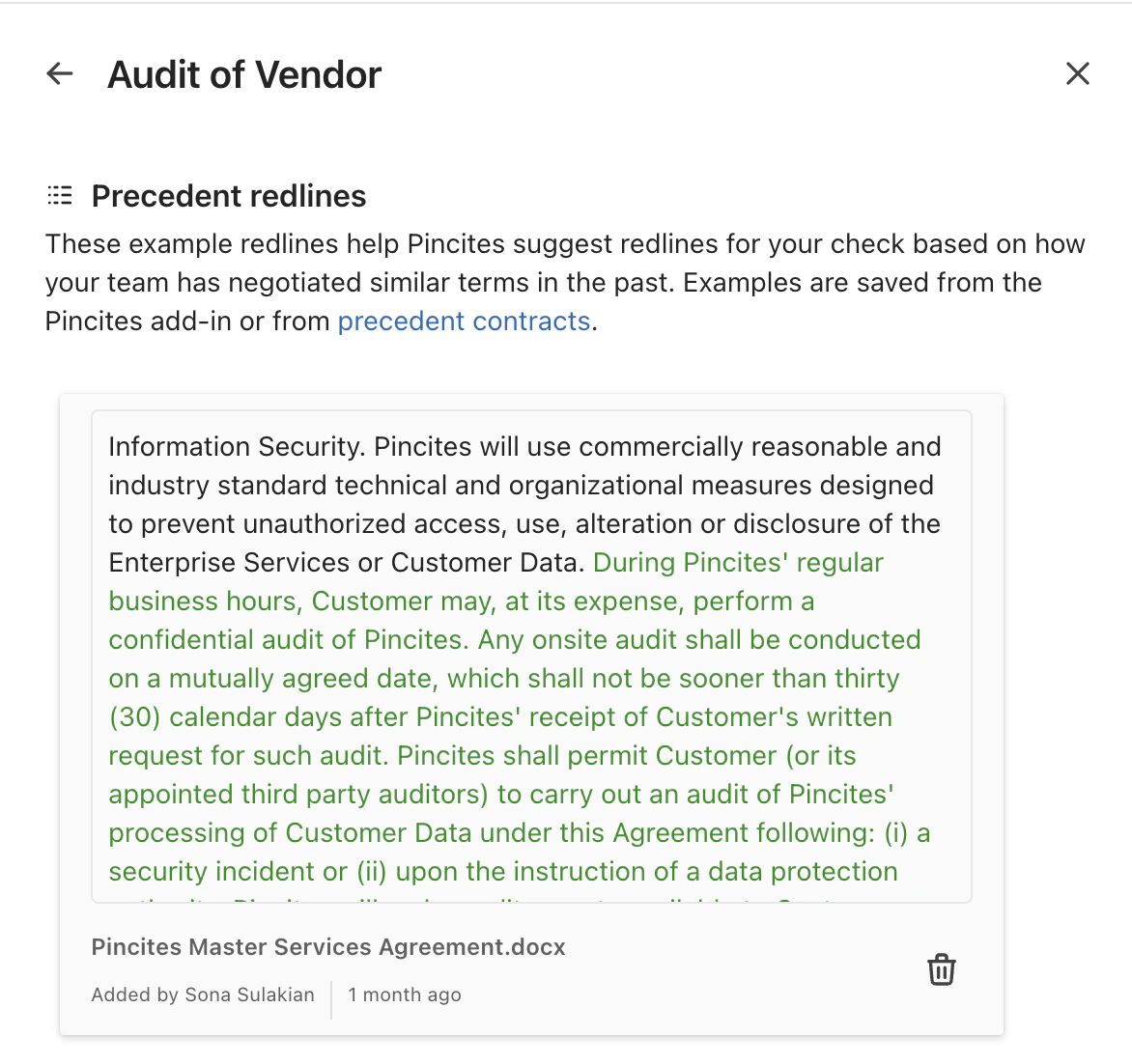
You can delete any examples you don’t like by selecting the trash icon next to an example.
- The source document name
- Who saved it
- When it was saved
- The actual redline