

Saved Prompts let you store and reuse instructions across contracts, playbooks, and workflows. Save a prompt once, use it everywhere. Learn more about building effective saved prompts.Documentation Index
Fetch the complete documentation index at: https://docs.pincites.com/llms.txt
Use this file to discover all available pages before exploring further.
Prompt library
The Prompt Library includes two collections of prompts:- Pincites official prompts — a curated set of prompts for common legal workflows, created and refined by our team
- My prompts — prompts created by you or your organization
- Browse the complete library in the sidebar under Prompts
- Search across all prompts using the search bar in the Prompts modal
Filtering prompts
Use filters to narrow down the library:- By scope — toggle between My prompts and Pincites official prompts
- By tag — filter by category tags like Starter, Drafting, Review, Summary, or Research
- By search — search across prompt titles and content
How to save a prompt
- Write or test a prompt in Composer
- Click Save Prompt
- Add a title and optional description
- Add tags to categorize your prompt (up to 2 tags per prompt): Starter, Drafting, Review, Summary, or Research
- Add optional internal notes for team context (e.g., when to use the prompt or which document types it works best with)
- Attach files that should be included whenever the prompt is used
- Choose whether to keep it private or share with your workspace
Enhance with AI
When creating or editing a prompt, click Enhance prompt to have AI improve your prompt text. You can undo the enhancement to restore your original text.File attachments
You can attach files to a saved prompt. When you or a teammate selects that prompt from the library, the attached files are automatically included in the chat. This is useful for prompts that reference specific templates, precedent documents, or guidelines.Finding and using saved prompts
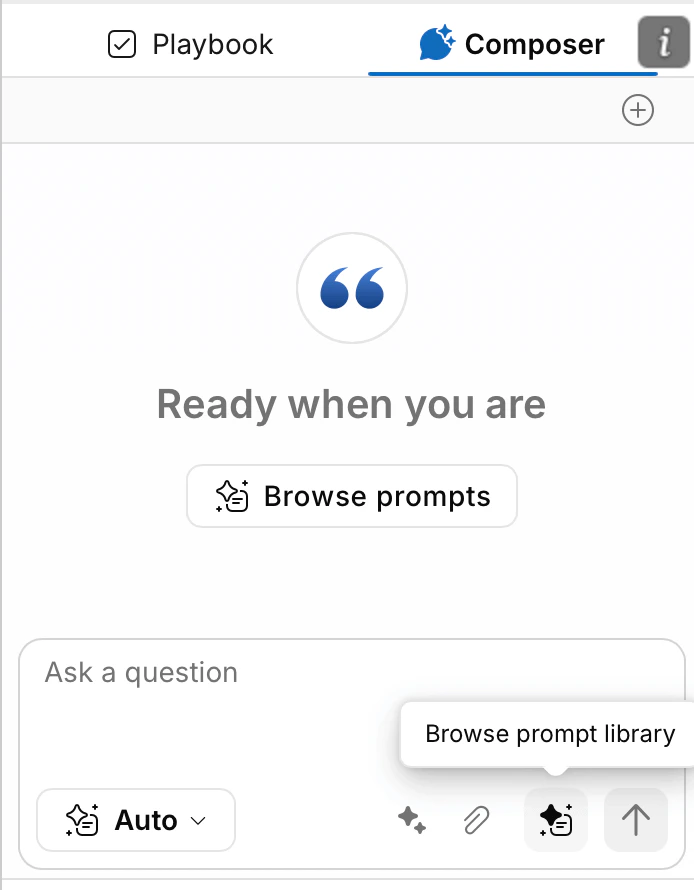
Open the Prompt Library from Composer to see all your saved prompts. Click any prompt to insert it into the chat along with any attached files.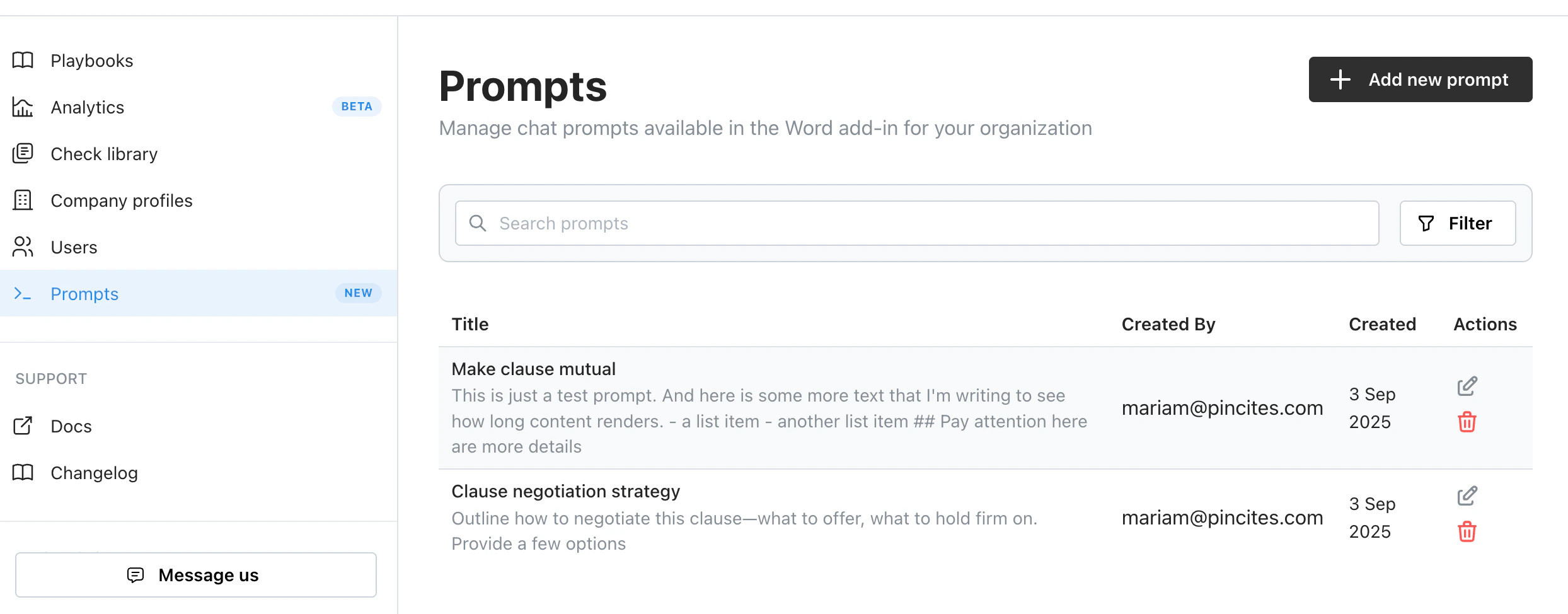
Editing and deleting prompts
Organization admins can edit or delete saved prompts:- Edit — update the title, text, notes, tags, or file attachments
- Delete — permanently remove a prompt from the library (confirmation required)
Using with playbooks
Saved Prompts work with playbooks:- Add prompts for recurring tasks like clause reviews or risk summaries
- Share across client profiles or deal types
- Keep your team reviewing contracts with the same language and standards
Best practices
- Use actionable titles so teammates know when to use a prompt
- Use tags to categorize prompts (e.g., Review for review workflows, Drafting for document creation)
- Add internal notes to explain when and how to use a prompt
- Attach reference files so they’re always included with the prompt
- Add tone or role guidance (“cooperative negotiation style,” “outside counsel perspective”)
- Refine and overwrite prompts as you learn what works
Prompt syntax
Prompts are written in Markdown format. Markdown provides clear structure that helps the AI understand your intent. You can learn more at the Markdown Guide. Markdown basics:- Section headers using
#symbols - Bulleted lists using
-or* - Numbered lists using
1.,2., etc. - Code blocks using triple backticks
- Links using
[text](url)